Showing posts with label Google SMS. Show all posts

Five Ways Innovative Educators Can Use Texting As a Professional Tool

Text messaging is the dominant form of communication for cell phone users who are sending more text messages than they are making phone calls, according to a Nielsen Mobile survey. This trend has caught on with educators who are becoming increasingly reliant on texting as a form of communication that is often more appropriate then a phone call, email, face to face visit, or letter. The first step for becoming comfortable with using cell phones as instructional tools is for teachers to use them, themselves. This enables educators to harness the power of these personal learning devices even in schools where students may be banned from bringing digital devices to school. Here are some ways educators can use texting in particular and cell phones in general as powerful and effective professional and educational tools.

Texting as an Efficient and Effective Communication Tool
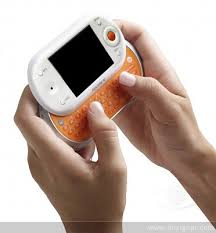
Texting has become a dominate communication tool for educators because it has proven more efficient and effective then other forms of communication among colleagues. Few schools were ever able to succeed in installing landline phones in classrooms. Instead they use a disruptive announcement system that detracts from learning to communicate with students and staff even though the message usually only pertains to a small portion of the school population...or in some cases just one person i.e. "John Smith, please come to the main office." This instructional intrusion is no longer necessary as texting enables educators to communicate short, efficient messages to one another without robbing students of instructional time. It also enables educators to communicate with one another, when necessary, outside the school day without interrupting their personal lives. In short, educators can text at times when it would be inappropriate to talk on the phone and it's quick.

Enhancing The Home-School Connection

For educators in schools,Meet the Parents texting has become more and important as sms notification tools are increasing parental involvement in their child’s school life and text and email alert systems increase home - school communication. While most schools initially get notification systems for emergency situations, they often end up using it for everything else. In New York City, many schools use SchoolMessenger to communicate through multiple modes: text, voice, mms, email, etc and get messages about all types of things including attendance, truancy, school meetings, and emergencies (techomnivore.com 04/29/08). The Journal has an excellent article on how schools are using notification tools for more than emergency alerts. In fact some schools are using it in a way that can revolutionize parent involvement moving beyond basics using services such as TeleParent (thejournal.com/articles/22398 04/01/08). In addition to the basic emergency notification TeleParent with its Situational Student Messaging gives parents a daily student profile that includes information like tardiness to class, participation, homework, and conduct. This moves the mundane conversation that usually goes something like, Dad: "How was your day?" Child: "Fine." To something more like, Dad: "I see you are work on a self portrait in art class and that you are having some difficulty with your science project. Can you share more about this?" which can lead to a robust conversation and focused launch into looking at and/or discussing this work. The emphasis on parental involvement is a wonderful bridge to success for students. According to the Southwest Educational Development Laboratory study, “Students with involved parents are more likely to attend school regularly, earn higher grades, and have better social skills.”

Free Audience Response System
Poll Everywhere provides educators with a simple method to share their voice and ideas right from their phones. If an educator wants feedback on any topic, they can use this tool. With Poll Everywhere everyone's voice can be heard by texting 99503 and texting in your vote just like they do on American Idol. No equipment needed or software to download within seconds educators have audience responses. Another nice feature is that it doesn't matter what cell phones people use. Responses are instantly combined. Educators can use this nifty tool in a variety of ways. Here are just a few. 1) It's cold outside and there is going to be an indoor lunch. Survey the teachers for which movie their class wants to watch. 2) School question of the day. Teachers select one student each day to highlight. That student is given the phone and enters their answer which is sent to Poll Everywhere along with the answers from other classes. This feeds into one stream that can be displayed on digital monitors in every classroom and the building entrance. 3) Use Poll Everywhere to send a schoolwide get well to a sick student or teacher. Each class crafts a message and the link is shared with the absent student or teacher. What a great way to wish a student or teacher well.

SMS Tweeting from Your Phone to Gain a Collective Intelligence on Topics of Importance

Twitter is a great tool for schools to use to share interesting and relevant information with the student body, staff, parents and family. No software to download and with just one teacher cell phone per class, a lot of contributing can be done and modeled anywhere, anytime. There are three steps to follow to get started. 1) set up a twitter account 2) enable texting updates from your phone 3) select your tag. Here's how you do this.

To use twitter from your phone go to www.twitter.com and set up an account. Teachers may want to set up a personal account as well as an account for their class where they can Tweet from. Principals may want to set up a school account and give teachers access to send in Tweets. You can Tweet from your phone by entering your number at http://twitter.com/devices and entering Twitter into your phone with this number: 40404. Don't worry that it is only 5 digits. Just send a text to it and it will show up in your Twitterfeed. Next you'll need to to select a short tag (an approximately 6 letters or less searchable word or acronym) and then have your audience’s tweets include that tag. For context one of the more famous tags that made Twitter popular was IranElection. Schools can use an acronym. For example, Barack Obama High School might be BOHS. In New York City schools all have a district, borough, location (DBN) identifier i.e. 06M001. The DBN is a unique tag that could also be used. Users can contribute by simply sms texting on their phone and ensuring the text includes the tag. You can capture the Tweets in any number of forms. The easiest is to do a simple Twitter search for the tag by typing it into the search box on the right side of the page.

Once you're set up, you can start tweeting your way into the microblogging community. Here are some ways you may want to use Twitter. 1) If school staff are attending a conference or professional development activity they tweet reflections, favorite quotes, or reactions to what they're learning. You can read how a group of school leaders did this at Leading By Example - Transforming Education for the 21st Century (http://tinyurl.com/leadbyexample). 2) School staff can tweet interesting announcements, updates, and activities at any time into the school account. This can be fed right into a school website providing the school community, parents, and more with an ongoing stream of updates about school happenings. See how one school does this at www.martavalle.org. 3) Use your class, library, or lab twitter account to share news and information with your students and teachers. For a great example of how this is done, follow Tracy Karas of Marta Valle High School in New York City at http://twitter.com/MartaVLibrary.

Google SMS as an Educational Tool That Can Be Used Directly From Your Phone
Teachers may not always have access to a computer, but most do have access to a cell phone. Today, even with a text-only plan, much of the vast amount of knowledge and information formerly available to only those with the internet are available anytime, anywhere directly through texting. Educators have access to an endless amount of information at their fingertips by texting "G-O-O-G-L-E" at 466453. Once you have GOOGLE in your address book you have untapped an unlimited treasure trove of knowledge and information. Here is what you can access with using GOOGLE text messaging listed by "Search Feature" and "Sample Query" below. You simply type in the query and GOOGLE instantly texts you the response.
Q&A - abraham lincoln birthday | Translation - translate hello in french | Web Snippets - web hubble telescope | Calculator - 1 us pint in liters | Currency Conversion - 8 usd in yen | METAR - metar khio | Local - sushi 94040 | Weather - weather boston |Glossary - define zenith| Sports - score red sox | Stocks - stock tgt | Zip Codes - zip code 72202 |Directions - directions pasadena ca to 94043 | Maps - map 5th avenue new york |Flights - flight aa 2111 | Area Codes - area code 650 | Products - price ipod player 40gb |

To see a demonstration of how this functions visit http://www.google.com/mobile/default/sms.html. There is endless pedagogical and professional value of having the ability to access this type of information anytime anywhere. Here are just a few ideas. 1) You may have a student who is not fluent in English. Hand him the phone and have him text his message to you in his native language. Enter the query translate in Italian before his text and send it off to Google. You will instantly get the student's message back in English. Respond via your phone in English back to the student in his Native language. 2) You or a student don't know the definition of a particular word? Text 466453 with the query "define" and type in the word. You'll get the definition and the source moments later. 3) Perhaps you and your class is reading a book that refers to the metric system and you're not sure how far 100 kilometers really is. Type in 100 kilometers in miles and you'll get you're answer.

In a class where the teacher-only has a cell phone in hand, she'll always be the smartest person in the room.

Starting with the device in your own pocket
Integrating texting into teaching isn't hard. Especially when you start by using the device in your own pocket/pocketbook. By doing so, educators are not only helping themselves, but they are also providing students with a great example of how these tools can be used for more than just socializing. Using and modeling effective, educational, and appropriate use of cells also lays a nice foundation and provides a comfortable starting point for teachers and schools who want to begin incorporating these devices into the work their students do.


Editors note: Unfortunately, even as a Technology Innovation Manager, I have been cut off from using this innovative digital tool since October after a decision was made for NYC DOE employees that ALL TEXT MESSAGING capabilities for DOE account holders will be disabled. It was a NYCDOE policy decision to disable the text messaging feature from all DOE issued devices. The rational for the disabling this service is all devices provided are for DOE business related communication and this communication must be documented. It is also the DOE position that communication thru text messaging is primarily for “personal use." Upon further investigation I learned the service could be restored if a professional case was made for using texting. I made my case more than two months ago and still have no service.
You have read this article Cell phones in Education / Google SMS / poll / sms / sms in education / texting / twtitter with the title Google SMS. You can bookmark this page URL http://benncam.blogspot.com/2009/12/five-ways-innovative-educators-can-use.html. Thanks!

Five Ways Innovative Educators Can Use SMS Texting to Enhance Their Work.

Text messaging is the dominant form of communication for American cell phone users who are sending more text messages than they are making phone calls, according to a Nielsen Mobile survey. Innovative educators in New York City with employer-issued cell phones may be disappointed to learn that the NYC DOE has decided that,
ALL TEXT MESSAGING capabilities for DOE account holders will be disabled because it is the DOE position that communication thru text messaging is primarily for “personal use."
I'm not sure how the NYC DOE determined that text messaging was being used primarily for personal reasons (no one I know of was asked), but the decision to disable text messaging may be a wise one to save money for cash-strapped businesses whose employees have not discovered how to use the simple messaging service (sms) feature on their phones as a powerful and effective professional and educational tool. I am disappointed that in my organization this occurred without employees being provided an opportunity to state their case because turning off this feature has become disruptive for innovative educators who have come to rely on sms to enhance their teaching, learning, and leading. However rumor has it that the New York City Department of Education realizes there are educators who are using sms for professional and pedagogical purposes. As such I have heard they've agreed to consider reinstating the feature for those who make a strong case outlining how they are doing so. This decision makes a lot of sense (even if the timing doesn't) as it puts the onus on the user to make a case for utilizing this feature in their work. While I'm unsure that the method for stating a case or the person to state the case to has been shared publicly, the sentiment could be a smart one as it might be powerful to apply this type of reasoning before issuing any innovative tools and technologies.

School systems could save thousands by providing innovative tools and equipment only to those who really want it and can explain how it will enhance their practice. Those who don't bother to make a case don't get the resource. That said, I'm hoping the rumor is true, and that I've stated a good case. I'm making this case not only for myself, but also for other innovative educators at the NYC DOE and beyond who want to make a case for providing educators with funding for tools that should be as commonplace in schools as they are in the workforce.

The case is an easy one to make for innovative educators who have become reliant on sms a form of communication that is often more appropriate then a phone call, email, a face to face visit, or letter. For innovative educators and managers, utilizing sms text messaging as part of their professional lives has become increasingly prevalent for a unique set of reasons. Here are five of them.


Five ways innovative educators are using text messaging to enhance their work.


Efficient and Effective Communication
The first reason is simple. We use it as a primary way to communicate as it is often more efficient and effective then other forms of communication. For example as an educational administrator I often need to communicate short efficient messages to colleagues. Because most teachers and many administrators do not have access to a school phone and talking on the phone is not conducive to the work they do, texting has become the most efficient means of communicating. It also enables us to communicate, when necessary outside the school day without interrupting the personal lives of others. In short, you can text at times when it would be inappropriate to talk on your cell phone and it's quick. Additionally, it is platform agnostic i.e. iPhones, T-Mobile, Blackberries, etc can all speak the same language without requiring access to the internet.


Increasing the Home-School Connection

For educators in schools, this has become increasingly important as they learn SMS Notification tools are increasing parental involvement in their child’s school life and Text and Email Alert Systems Can Increase Home - School Communication. This is something innovative educators support school-based staff in using. In addition to the obvious communication advantages of texting, the educational applications of sms have grown exponentially over the past couple years. The advantage of sms over other forms of communication of course is that it is the most ubiquitous technology available to students, parents, and educators. Additionally, when conducting meetings or classes, or workshops, while often many participants do not have laptops with them, nearly all have cell phones.


Free Audience Response System – To Those Who Can Text
Poll Everywhere is a great tool that can be used by anyone who knows someone with a cell phone they can send a text message from. It provides participants with a simple method to share their voice and ideas right from their phones enabling the presenter and audience to have a clear sense of where they stand on topics being discussed.


To use poll everywhere you can set up an account where you'll be assigned a number for participants to send their answers. Within the message participants enter the code corresponding to their response. This looks similar to what you see on popular shows such as American Idol. Without any additional equipment or need to download software within seconds educators will have audience responses. Another nice feature is that it doesn't matter what device your participants are using. Responses can be instantly combined.


SMS Tweeting from Your Phone to Gain a Collective Intelligence on Topics of Importance

Twitter is perfect if you want to know what your audience is thinking, feeling, or seeing. No software to download and all your audience needs is a cell phone to contribute anywhere anytime. Simply go to www.twitter.com and set up an account. You can Tweet from your phone by entering your number at http://twitter.com/devices. When exploring a particular topic, you need to select a short tag (an approximately 6 letters or less searchable word or acronym) and then have your audience’s tweets include that tag (i.e. Marta Valle High School might be MVHS). Users can contribute by simply sms texting on their phone. You can capture the Tweets in any number of forms. The easiest is to do a simple Twitter search for the tag. You can click here to see what the Tweets from a recent conference look like. Of course one of the more famous tags that made Twitter popular was IranElection. You can read how a group of school leaders used sms Twitter to follow conference activities and share reflections and plans at Leading By Example - Transforming Education for the 21st Century.


Google SMS as an Educational Tool That Can Be Used Directly From Your Phone
Anytime, anywhere you have access to a cell phone, much of the vast amounts of knowledge and information formerly available to only those with the internet are now available directly through sms texting. Educators can put a limitless amount of information at the fingertips of themselves and/or their audience by asking them to take out their cell phone and text "G-O-O-G-L-E" (466453). A FREE or inexpensive service to anyone with sms access.

Here's what you can access with just using GOOGLE text messaging listed by "Search Feature" and "Sample Query" below.

Search Feature - Sample Query
Q&A - abraham lincoln birthday | Translation - translate hello in french | Web Snippets - web hubble telescope | Calculator - 1 us pint in liters | Currency Conversion - 8 usd in yen | METAR - metar khio | Local - sushi 94040 | Weather - weather boston |Glossary - define zenith| Sports - score red sox | Stocks - stock tgt | Zip Codes - zip code 72202 |Directions - directions pasadena ca to 94043 | Maps - map 5th avenue new york |Flights - flight aa 2111 | Area Codes - area code 650 | Products - price ipod player 40gb |

You can see a demonstration of how this functions at http://www.google.com/mobile/default/sms.html. There is endless pedagogical and professional value of having the ability to access this type of information anytime anywhere. Whether it’s to help ELLs translate another language, support literacy by instantly being able to define or look up words and terms, help global studies or math students have knowledge on currency or metric conversions and more.


As more and more innovative educators lose some of their digital as a second language accent, sms has become a powerful, effective, efficient, convenient, and affordable educational and professional tool that has become integrated into the work we do. Employers of educators using sms features on their phones in innovative ways such as these are making a terrific investment in ensuring their staff have the tools they need to do their work effectively. Now that I've made my case, I can't wait to get this service turned back on.

You have read this article Cell phone ban / Cell phones in Education / Google SMS / texting ban with the title Google SMS. You can bookmark this page URL http://benncam.blogspot.com/2009/10/five-ways-innovative-educators-can-use.html. Thanks!

Text and Email Alert Systems Can Increase Home - School Communication

My colleague the Techomnivore often talks about and has shared in his blog information about how Notification tools are increasing parental involvement in their child’s school life. Though I haven't had personal experience with schools that are using these systems, I do believe that cell phones provide a powerful resource as a home-school connection tool. I was recently contacted by one such service that is available free (with advertising). If this is something your school might want to investigate, here is an overview of Schoohoo, one such service. You can read the Techomivore's post for additional resources.


Innovative educators who are looking for ways to better communicate with parents, students, faculty and staff may be interested in looking into Schoohoo. They offer a free web based service at www.schoohoo.com that allows schools of any size to send text message and email alerts to parents, students, faculty, and staff. Developed by parents of elementary school students, they set out initially to just make a system that made sense for their own school district in Champaign, Illinois. They had come up with the idea years ago, but it wasn't until an emergency lockdown in their elementary schools that they put their own financial resources into developing an easy to use and universal program that any school could make use of.


Jonathan Hoover, Executive Director shared that, "We wanted to build a system that was easy for everyone to use, from both sides - that of the school district and that of the parent". To that end, the software is entirely web based, and yes - entirely free. Eventually they hope to get local sponsors behind them, to append a brief text only message at the end of the alert - maybe from a local grocery store, class ring jeweler, or other school-approved vendor. Until then, they’ve put their own funds into it and with low operating costs they can keep it going for years without a hiccup. They've also kept it very easy for schools in several ways. One important feature is that schools don't have to maintain the contact list - parents register via the Schoohoo website and "subscribe" to the school or schools they want to receive messages from. These schools can be across several districts, public and/or private, and the parents only have one contact form to maintain - leaving the schools free to simply inform them of the service and send alerts.


Mr. Hoover is happy to answer any questions you may have - he jokes that it often takes a couple of conversations before people get that it really is free, and that Schoohoo is truly just out to do some good in tough economic times. He can be reached at Jonathan@Schoohoo.com, or you can leave a message with Schoohoo’s answering service at 217-819-4678.

You have read this article cy / Google SMS / notification / parent involvement / schoohoo with the title Google SMS. You can bookmark this page URL http://benncam.blogspot.com/2009/04/text-and-email-alert-systems-can.html. Thanks!

Using Google as an Educational Tool Right From Your Phone!

Your students don't need to have a laptop to access the vast amounts of knowledge formerly available to only those with the internet. Educators can put an endless amount of information at their student's finger tips by asking them to take out their cell phone and text "G-O-O-G-L-E" (466453) - FREE to those with unlimited texting plans.

Here's what you can access with just using GOOGLE text messaging listed by "Search Feature" and "Sample Query" below.

Search Feature - Sample Query 


Weather - weather boston
Glossary - define zenith
Sports - score red sox
Movies - movies 94110
Zip Codes - zip code 72202
Directions - directions pasadena ca to 94043
Maps - map 5th avenue new york
Flights - flight aa 2111
Area Codes - area code 650
Products - price ipod player 40gb
Q&A - abraham lincoln birthday
Airlines - united airlines
Translation - translate hello in french
Web Snippets - web hubble telescope
Calculator - 1 us pint in liters
Currency Conversion - 8 usd in yen
Stocks - stock tgt

Airports - sfo airport
METAR - metar khio
Help - help local


You can see a demonstration of how this functions at
http://www.google.com/mobile/default/sms.html and you can watch the below video. I would recommend showing this to your students in class before sending them off to use this tool.


As Marc Prensky explains in his piece What Can You Learn from A Cell Phone? – Almost Anything, and as I shared in my post Pockets of Potential: Using Mobile Technologies to Promote Children’s Learning research shows that phones and texting are valuable educational tools. I've thought of a few ideas for using this resource as an educational tool with your students. Of course, once you discuss this with your students, I'm sure they'll be able to come up with even better ideas.

Five ideas for using Google SMS to enhance learning.
  1. Have students compare their neighborhood with one they’re learning about in social studies or in a book they’re reading.
    Possible tools: “Currency,” “Local,” “Weather”
  2. Have students create a city guide. I’d recommend first modeling this by creating a guide to the school neighborhood, then let students use this model to create a guide to another neighborhood such as creating a guide to the neighborhood of a great grandparent.
    Possible tools: “Web Snippets,” “Currency,” “Local,” “Translation,” “Weather”
  3. Recommend that ELL and foreign language students use the translate tool when they come upon a word they don’t know.
    Possible tool: “Translate"
  4. Recommend students use the define tool to look up a word or concept they don't know when reading.
    Possible tools: "Define," "Web Snippets"
  5. Incorporate the tools into a math lesson.
    Possible tools: “Calculator,” “Currency Conversion,” “Stocks”
For educators working in school districts that have banned these powerful tools, not to worry. Even though students are banned from using cells as educational tools during the school day, students are free to engage in 21st Century learning outside of school. I encourage innovative educators to "Think Outside the Ban!" and assign your students homework that allows them to use these cells outside of school. Your students will thank you for allowing them to learn in an environment in which they thrive.
You have read this article Cell phone ban / Cell phones in Education / Google for Educators / Google in Education / Google SMS / mobile phones with the title Google SMS. You can bookmark this page URL http://benncam.blogspot.com/2009/03/using-google-as-educational-tool-right.html. Thanks!

Five Googley Ideas to Engage Learners

Google has become a terrific teaching and learning partner to me over the years which is one of the reasons I was excited to become a Google Certified Educator (GCT). Now, one year later, I am reflecting upon my Fav Five (and freee!) Google educational tools and then I’ll give ya a peak into how they can be used to enhance classroom instruction.


Fav Five GooglelyTools to Enhance Instruction


Earth - Explore the world from your computer

Docs - Create and share your projects online and access them from anywhere

Book Search - Search the full text of books

Translate - View web pages or any text in other languages

SMS - Use text messaging for quick info about anything you can imagine


These are incredible tools with amazing educational value, but you’ve heard that before about other technologies, nodded your head in agreement but perhaps also wondered…how???? I’ve collaborated with some colleagues to come up with a couple classes that show exactly how these tools can be used to enhance teaching and learning.


Get Going with Google Research Applications class

In this class participants discover how various Google research tools can enhance their ability to use the inquiry process and build understanding. The Information Fluency Continuum is used as a guide to thinking about these research tools. Participants leave able to use a Google collaborative document to develop and share thinking, and tools to discover and create knowledge including Google SMS, Google Scholar, Google Books, Google Blog Search, and Google Translate. Here is an outline of each session.

Enrich a Severe Weather Unit with Google Apps

In this class participants become hurricane detectives and discover how to use Google Apps, such as Google Earth and Google Collaborative Docs, to support a “Severe Weather” unit of study. Here is an outline of each session.

Google Me at...
In this class participants discover and explore how they can create an active digital footprint that will impact how they are seen by Google. Here is an outline of each session.

*Note: this class has yet to be created. If you are interested in collaborating to create it go here.

Innovative educators can access all materials in these classes for free and use them to enhance teaching and learning in their own communities. If you do, or plan to, please comment here to share your plans or results.

Good luck in your Googley Goings On.

-----------------------------------------------------------

Learn more.
Join the I Love Google group here.
Join the conversation about using Google Apps here.
Visit Google for Educators.
Learn how to become a Google Certified Teacher.
Explore Google Classroom Activities.
Learn to use Google Apps for ePortfolios here.
Read how about Digital Storytelling with Google Maps
See how CIS 339 in the Bronx uses Google to Build Professional Learning Communities.

You have read this article Educating Innovatively / Google / Google Earth / Google for Educators / Google in Education / Google SMS with the title Google SMS. You can bookmark this page URL http://benncam.blogspot.com/2008/05/five-googley-ideas-to-engage-learners.html. Thanks!